A free archiver that makes smaller files
Horizon packs files and folders into .hzn archives. In my tests they come out up to 22% smaller than 7-Zip at its strongest setting, and the default level packs about as fast as zip does. It also opens the zip, 7z and rar files you already have.
I wrote the compressor myself, from scratch, and built the app around it. No account, no ads, no tracking.
Try it with your own fileDrop an HTML, CSS, JS, JSON or image file and compare Horizon with gzip, brotli and zstd, live on my server.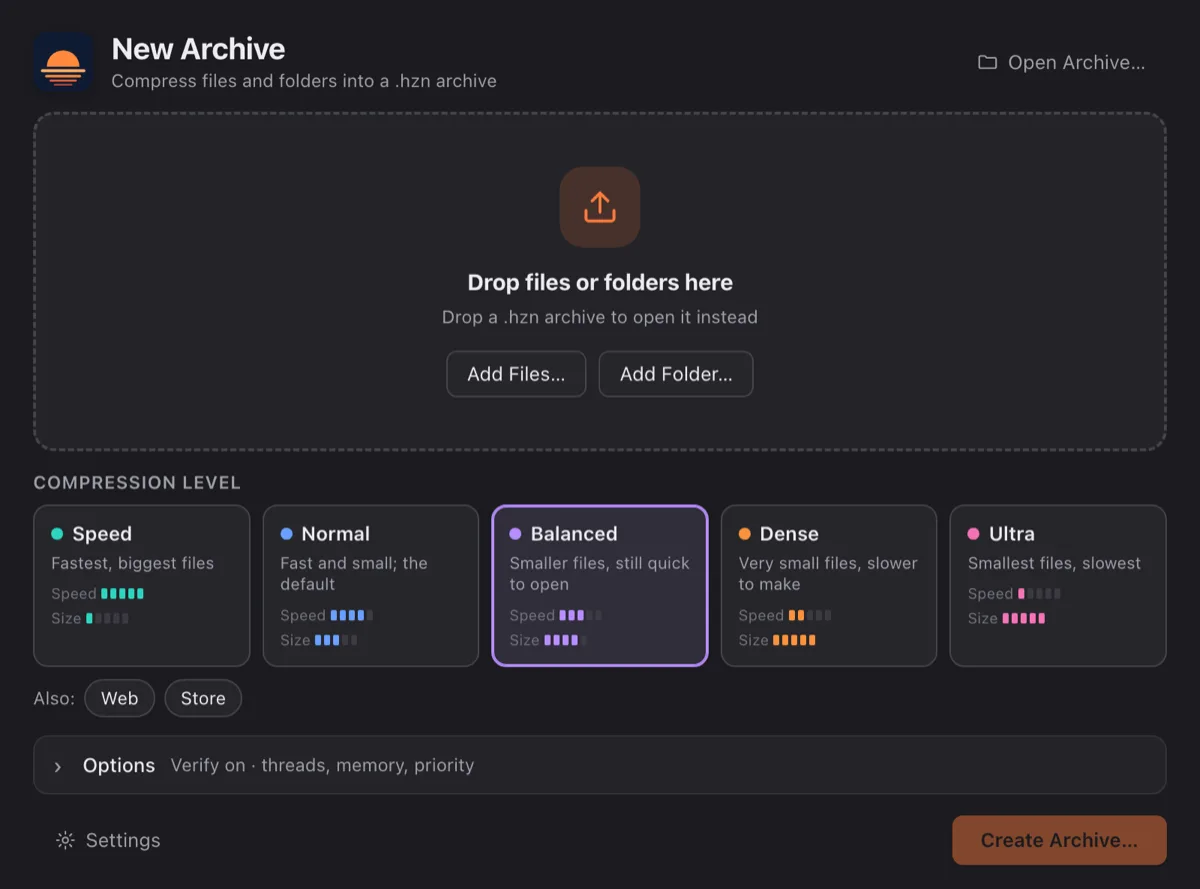
How much smaller?
I compared Horizon with the usual tools on two sets of files, on the same machine, each at its strongest common setting. Every archive was unpacked again and checked byte for byte.
Every level, every file, all the tools → Try it with your own file →
On enwik9, a 1 GB chunk of English Wikipedia, Horizon's Ultra level ends at 164 MB. 7-Zip ends at 211 MB. The default level, Normal, takes 10.5 seconds where 7-Zip takes 216, and it's still 13% smaller.
On a 387 MB folder of mixed files (programs, fonts, images, text and some data that was already compressed), Ultra is 16% smaller than 7-Zip.
- Text, Ultra vs 7-Zip
- 164 MB instead of 211 MB
- Text, Normal vs 7-Zip
- 10.5 s instead of 216 s, 13% smaller
- Mixed files, Ultra vs 7-Zip
- 16% smaller
| Tool | Size | Pack | Unpack |
|---|---|---|---|
| Horizon Ultra | 14.1 s | 7.2 s | |
| Horizon Dense | 12.3 s | 5.9 s | |
| Horizon Balanced | 10.3 s | 1.8 s | |
| Horizon Normal | 10.5 s | 1.4 s | |
| 7-Zip -mx9 | 215.9 s | 2.0 s | |
| zstd -22 --long | 549.4 s | 1.5 s | |
| xz -9 | 194.8 s | 3.0 s | |
| zstd -19 | 78.2 s | 2.8 s | |
| brotli -q9 | 150.5 s | 2.9 s | |
| bzip2 -9 | 48.9 s | 22.3 s | |
| Horizon Speed | 2.2 s | 0.6 s | |
| gzip -9 | 30.9 s | 1.8 s | |
| lz4 -9 | 1.9 s | 0.4 s |
| Tool | Size | Pack | Unpack |
|---|---|---|---|
| Horizon Ultra | 54.3 s | 13.8 s | |
| Horizon Dense | 53.0 s | 11.3 s | |
| Horizon Balanced | 17.0 s | 2.2 s | |
| Horizon Normal | 16.6 s | 1.9 s | |
| 7-Zip -mx9 | 31.6 s | 2.1 s | |
| xz -9 | 64.6 s | 3.1 s | |
| zstd -22 --long | 59.1 s | 0.4 s | |
| zstd -19 | 28.6 s | 0.4 s | |
| brotli -q9 | 27.1 s | 0.7 s | |
| Horizon Speed | 1.0 s | 0.3 s | |
| bzip2 -9 | 16.1 s | 7.7 s | |
| gzip -9 | 14.9 s | 0.6 s | |
| lz4 -9 | 1.1 s | 0.2 s |
MB means 1,000,000 bytes. Measured in November 2026 on one machine with every CPU core available. Horizon, zstd and xz use several threads. One run each, so treat the times as rough. One thing I like: Horizon still shrinks data that was already gzipped, which the other tools leave as it is.
Results from other machines
My numbers come from one machine. Below is an estimate for your device, from the closest result people shared with the built-in benchmark.
Add yours with horizon bench --upload. It asks first, then sends the machine details below and the timings, plus a random ID created on your computer so your repeat runs are merged; it is not linked to your hardware. No name, no file names; the ID and your IP address are never shown.
Six levels
You pick a level when you make an archive, and you can use a different one for files you add later. The numbers are for enwik9: size, time to pack, time to unpack.
For when you're in a hurry. Very fast both ways; the files come out a little smaller than with lz4.
Fast both ways. On most files it already beats 7-Zip's strongest setting.
A bit smaller than Normal for about the same time, and still quick to unpack.
Very small, but packing and unpacking take a little longer.
The smallest archives Horizon can make. It's slow both ways, so I'd keep it for things you store and rarely open.
Made for HTML, CSS, JavaScript and JSON. It has a built-in dictionary and unpacks about as fast as brotli.
Store: No compression. It just puts the files together.
How it works
No secrets needed to explain the idea. Horizon looks at what you give it and takes a different route for each kind of data, then checks that every byte comes back.
It looks before it packs
Every file is sampled first. Text, programs, tables, disk images and data that was already compressed each take their own route, and small text files get one of their own with a built-in dictionary. The archive records which route was used, so unpacking never has to guess.
Already compressed? Undone and redone
gzip streams (including zlib and the ones Go programs write) and the image data inside PNG files are unpacked, compressed better, and rebuilt byte for byte when you extract. H.264 video (CABAC) is re-encoded losslessly too. All of this happens at every level except Speed; Dense and Ultra also do it for xz.
Pictures and programs
From Normal up, PNG pixels are predicted from their neighbours and only the difference is stored, with a stronger model at Dense and Ultra. Programs for x86 and ARM get a reversible transform of their jump addresses at every level, Speed included, so repeated code looks repeated. Both only kick in when a quick trial shows they help.
Tables, copies and noise
A structure finder spots fixed-size records and stores them column by column. A long-range stage finds copies that sit far apart, and disk images get block-level deduplication. Random data is stored as it is, and a file that is one pattern repeated shrinks to a few bytes.
Text: sort first, then predict
Text goes through the Burrows-Wheeler transform, which groups similar contexts together, and then a statistical coder. Ultra uses full context mixing, where many small models vote on every bit; Dense uses a lighter mix, Balanced and Normal faster coders. Data that suits it better goes through LZ instead, and when the two are close, Ultra codes it both ways and keeps the smaller.
Web and Speed
Web uses LZ with a built-in dictionary of common web text, a careful (optimal) parse and Huffman coding. Packing takes a moment; unpacking is about as fast as brotli. Speed is a very fast LZ in independent 4 MB blocks that still uses the program and table transforms.
All your cores, both ways
Big inputs are split into pieces that are packed and unpacked in parallel, so unpacking uses all your cores too, not just packing. At Dense and Ultra, very large inputs are also cut into segments to keep memory in bounds. Ultra is still the slowest to unpack, which is why it isn’t the default.
Checked, and frozen
Every file carries its size and a CRC-32 that is checked when you unpack, and a .hzn archive also checks every block, every file and its own index. In the app, Test re-reads an archive end to end and Verify unpacks each block right after packing it. The 1.0 format is frozen: every 1.x version reads every 1.x archive.
It opens your other archives too
Horizon makes .hzn files, but it also reads zip, 7z, rar, tar, gz, bz2, xz and zst. You can browse them, unpack all or part of them, test them, or drag files straight out. I wrote every decoder from the format specs, without third-party compression libraries.
That covers zip64 and self-extracting zips, 7z with LZMA and LZMA2, RAR 5 including solid and split archives, and the usual tar variants.
You can make Horizon the default app for .hzn in its Settings. For zip, rar and the others, use Open With and tell your system to always use Horizon.
When it unpacks, Horizon skips any path that would land outside the folder you chose, checks every CRC, and asks first if an archive would blow up to more than a hundred times its size and over 1 GB.
- Makes
- .hzn
- Opens
- zip, 7z, rar, tar, gz, bz2, xz, zst
- Decoders
- My own, written from the specs
In Finder and Explorer
On a Mac, right-click some files and choose Compress with Horizon. The .hzn shows up next to them. For archives there's Extract Here with Horizon and Open in Horizon.
On Windows, double-click a .hzn to open it. Horizon shows up under Open with for the other formats, and you can drag files from an archive into Explorer or onto the desktop.
On Linux, the .deb and the AppImage register the .hzn file type, so archives open from your file manager.
Free, and it stays on your computer
Horizon is free. There's no trial, no licence key, no paid version with extra levels, and no ads.
It doesn't need an account and doesn't send anything about you or your files. The only time it goes online is to check for a new version, and you can turn that off.
Good to know
- Only Horizon opens .hzn files. If you're sending an archive to someone who doesn't have it, zip is still the safer choice.
- Dense and Ultra are slow to unpack as well as to pack. For files you open every day, Normal or Balanced is nicer.
- Horizon is new. Keep a backup of anything you can't afford to lose, like you would with any tool.
Command line
The app comes with two command-line tools that work the same on all three systems: hzn for archives and horizon for single files. For scripts there's hzn l --json, and the exit codes tell success, errors and damaged archives apart.
# make an archive (or add to one)
hzn a -l ultra photos.hzn ~/Pictures/2026
# list, test, unpack
hzn l photos.hzn
hzn t photos.hzn
hzn x -o ~/restore photos.hzn
# one file
horizon -dense server.log server.log.hz
horizon -d server.log.hz server.log
What you need
macOS 11 Big Sur or newer, Apple silicon or Intel. Comes as a .dmg.
Windows 10 or 11, 64-bit. It uses Microsoft Edge WebView2, which Windows 11 already has; on Windows 10 the installer adds it if needed.
64-bit x86 with WebKitGTK 4.1, so Ubuntu 22.04, Debian 12, Fedora 38 or newer. AppImage or .deb.
By default Horizon uses at most 70% of your free memory and shows an estimate before it starts. You can change threads, memory and priority per archive.